
What Mistakes should I Avoid When Implementing an Auto Dialer System?
In today’s fast-paced sales and customer support environment, businesses rely heavily on automation to improve productivity and reach more prospects in less time. An auto dialer system can dramatically increase call volume, streamline workflows, and help teams focus on meaningful conversations instead of manual dialing. However, simply investing in an autodialer solution does not guarantee success.
Many organizations rush into implementation without a clear strategy, leading to compliance issues, frustrated agents, poor customer experiences, and wasted budgets. To help you avoid costly errors, this guide highlights the top mistakes businesses make when deploying an auto dialer system and how to prevent them by using Kommuno’s auto dialer software.
1. Choosing the Wrong Auto Dialer System for Your Business Model
One of the biggest mistakes companies make is selecting a solution based purely on price or popularity rather than actual business needs.
Not all dialers function the same way. Some are predictive dialers designed for high-volume outbound campaigns. Others are power dialers or preview dialers suited for personalized outreach. If your team handles consultative B2B sales, a predictive dialer may overwhelm leads and damage relationships. Conversely, if you’re running a large-scale lead generation campaign, a manual-style solution will slow your team down.
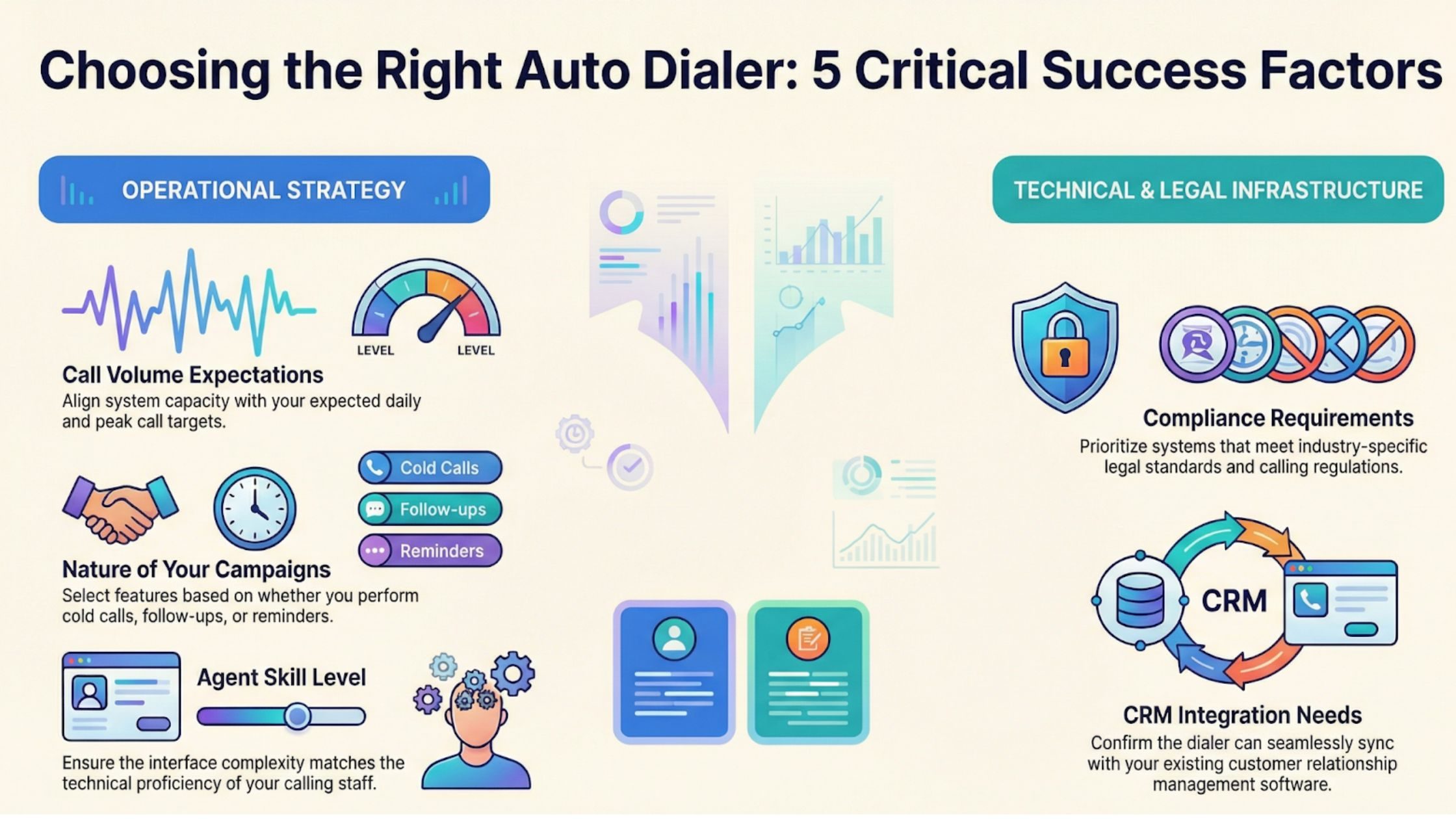
Before selecting the best auto dialer software, assess:
- Call volume expectations
- Nature of your campaigns (cold calls, follow-ups, reminders)
- Agent skill level
- Compliance requirements
- CRM integration needs
A mismatch between system capabilities and business goals often leads to underutilization and frustration.
2. Ignoring Compliance and Legal Regulations
Telecommunication laws and data privacy regulations vary by region and can be strict. Many businesses overlook compliance during setup, assuming the software handles everything automatically.
While an autodialer solution may offer compliance features, it is your responsibility to ensure:
- Proper consent management
- Accurate do-not-call list filtering
- Time-zone-based dialing restrictions
- Call recording notifications
- Data protection standards
Non-compliance can lead to heavy fines, legal action, and reputational damage. Always consult legal experts and configure the system carefully before launching campaigns.
3. Failing to Integrate with CRM and Existing Tools
Kommuno’s auto dialer system works best when fully integrated with your CRM and communication stack. Without integration, agents waste time switching between systems, manually entering data, and searching for contact details.
This leads to:
- Data inconsistencies
- Missed follow-ups
- Reduced productivity
- Poor reporting accuracy
The best auto dialer software should seamlessly sync call logs, notes, dispositions, and recordings with your CRM. Integration ensures agents have a complete customer context before and after every call.
4. Skipping Proper Agent Training
Automation does not replace human skill; it enhances it. Many businesses assume that once an autodialer solution is installed, agents will instantly become more productive.
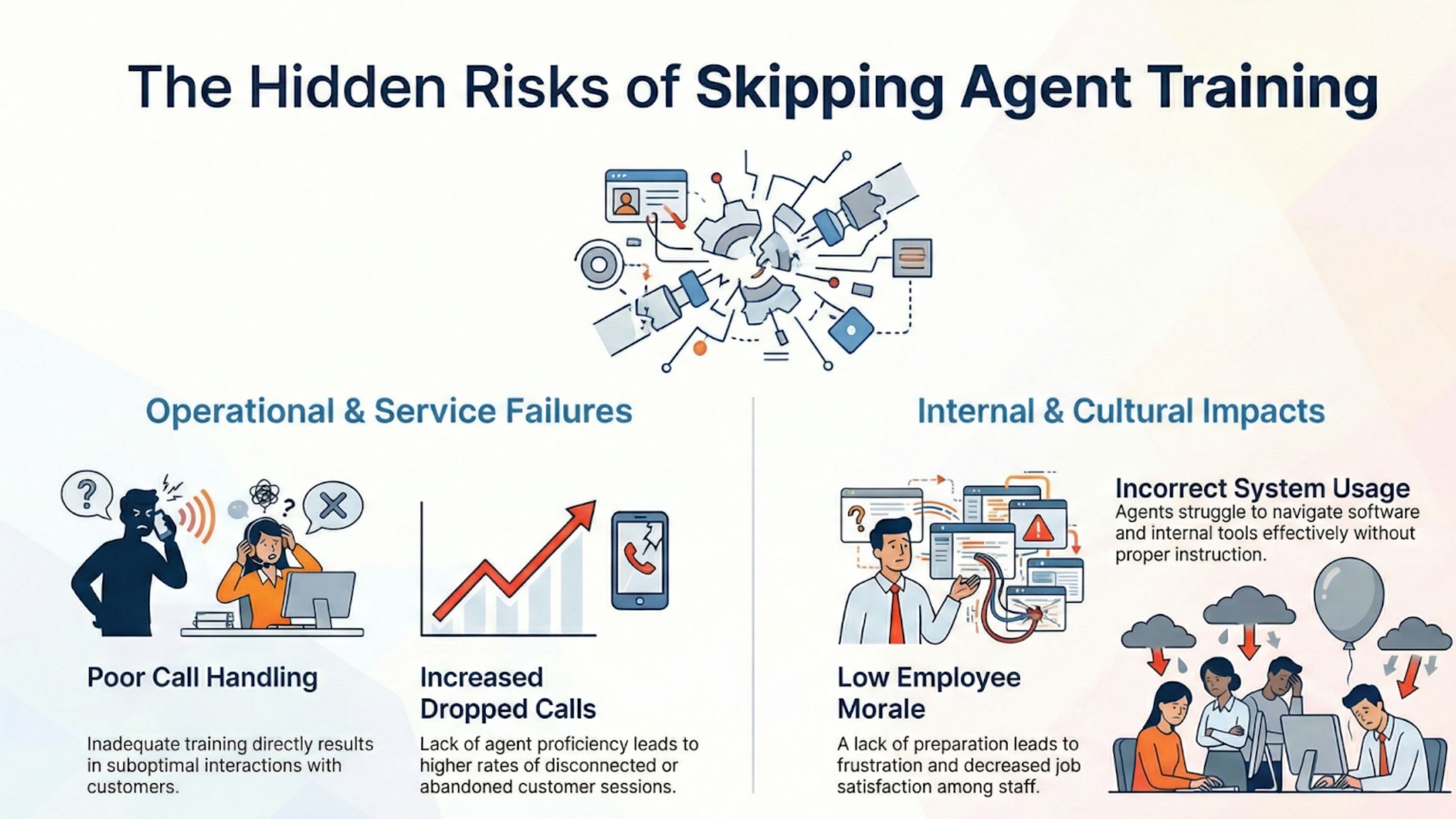
In reality, lack of training can lead to:
- Poor call handling
- Increased dropped calls
- Incorrect system usage
- Low morale
Agents must understand how the dialer works, including pacing, call scripts, call disposition tagging, and handling live transfers. They should also be trained on how to use call analytics and performance dashboards to improve results. A successful auto dialer system depends on confident, well-trained agents.
5. Overloading Campaigns Without Proper List Management
Another common mistake is uploading massive contact lists without cleaning or segmenting them. Poor list quality results in:
- High call failure rates
- Repeated dialing of invalid numbers
- Increased complaints
- Damaged brand reputation
Before launching campaigns, ensure that:
- Duplicate numbers are removed
- Invalid or outdated contacts are filtered out
- Contacts are segmented by priority or category
- Suppression lists are updated
Smart list management significantly improves answer rates and overall campaign performance.
6. Ignoring Customer Experience
While auto dialers boost efficiency, they can harm customer experience if misconfigured. Predictive dialers, for example, may connect calls before agents are ready, causing awkward delays.
Customers dislike:
- Dead air at the beginning of calls
- Repeated calls in a short timeframe
- Robotic interactions
- Poor personalization
Your autodialer solution should balance speed with quality. Configure pacing carefully and ensure agents have access to customer data before speaking.
7. Not Monitoring Performance Metrics
Many companies implement the best auto dialer software but fail to track performance metrics consistently. Without analytics, it’s impossible to know whether your system is delivering value.
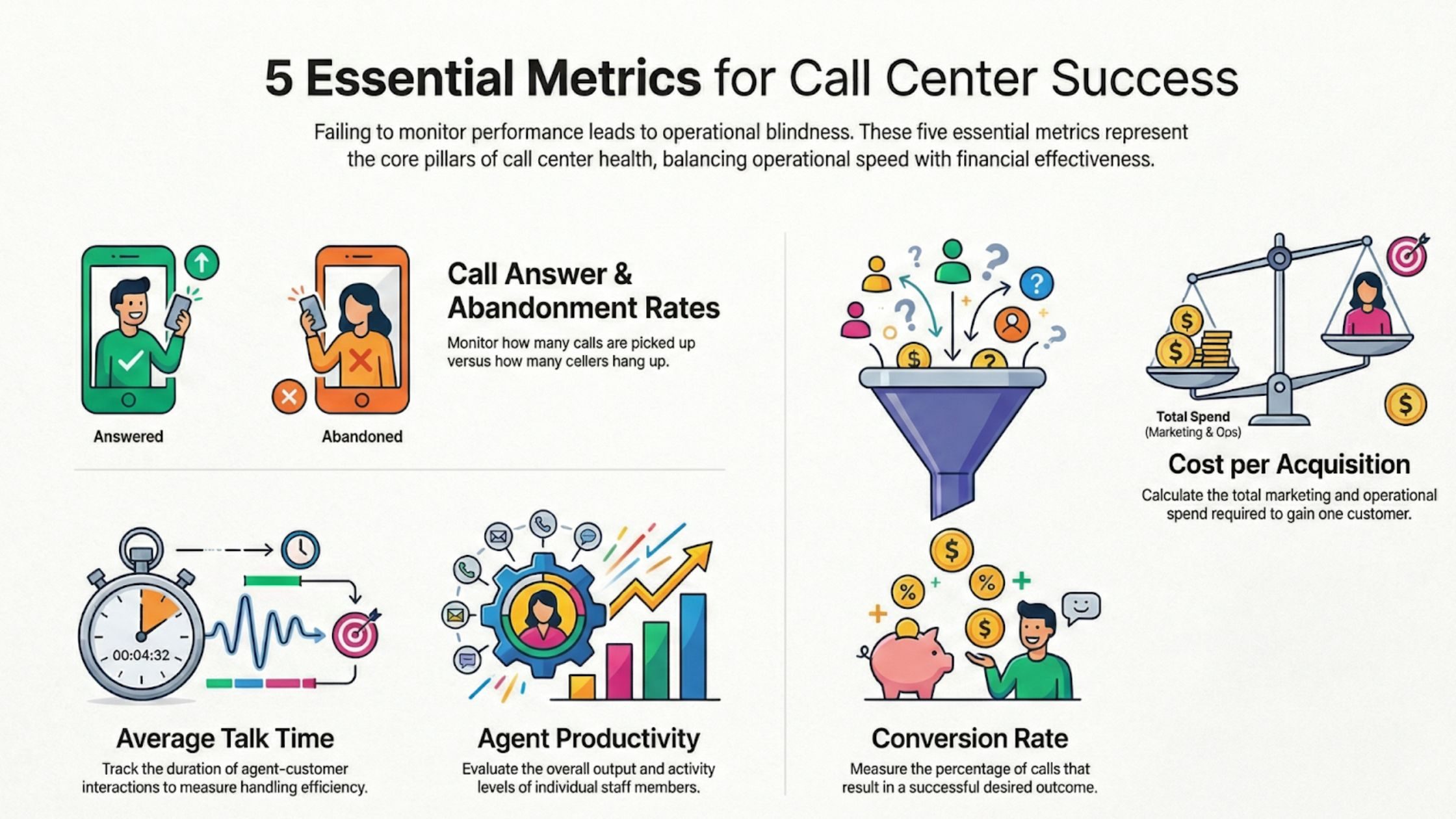
Key metrics to monitor include:
- Call answer rate
- Call abandonment rate
- Average talk time
- Conversion rate
- Agent productivity
- Cost per acquisition
Regularly reviewing these insights helps optimize dialing strategies, improve scripts, and refine targeting.
8. Setting Unrealistic Expectations
An auto dialer system can improve efficiency, but it is not a magic solution. Businesses sometimes expect immediate revenue spikes without adjusting sales strategies or improving scripts.
If your messaging is weak or your offer lacks clarity, dialing more people will not fix the issue.
Before implementation, ensure:
- Clear sales scripts
- Defined customer personas
- Strong value propositions
- Structured follow-up workflows
Technology should support a strong foundation, not compensate for its absence.
9. Poor System Configuration
Improper setup is one of the most overlooked mistakes. Configuration settings such as dialing ratios, retry logic, time-zone restrictions, and voicemail detection must be carefully optimized.
If configured incorrectly, your autodialer solution may:
- Over-dial leads
- Increase abandoned call rates
- Reduce agent availability
- Trigger compliance risks
Work closely with your provider during setup. Test small campaigns before full-scale rollout to fine-tune system settings.
10. Neglecting Scalability and Future Growth
Your business will evolve. If you choose a solution that cannot scale, you may face operational challenges later.
When evaluating the best auto dialer software, consider:
- Ability to handle increased call volume
- Multi-location or remote team support
- Advanced analytics features
- AI-based optimization tools
- Omnichannel communication capabilities
Selecting a scalable auto dialer system, such as Kommuno, ensures long-term value and avoids costly migrations in the future.
11. Failing to Align Sales and Marketing Teams
An autodialer solution works most effectively when sales and marketing collaborate. If marketing generates low-quality leads and sales aggressively dials them without qualification, frustration builds quickly.
To prevent this:
- Align on lead scoring criteria
- Share campaign performance data
- Create feedback loops
- Refine targeting continuously
When both teams work together, the auto dialer system becomes a powerful revenue engine rather than a high-volume calling machine.
12. Overlooking Reporting Customization
Standard reports may not reflect your unique KPIs. Many businesses rely solely on default dashboards without tailoring them to specific goals.
The best auto dialer software should allow customization of reports to track:
- Campaign-specific ROI
- Agent-level performance trends
- Regional response rates
- Time-of-day effectiveness
Kommuno’s custom reporting provides actionable insights that drive strategic decisions.
13. Not Testing Before Full Deployment
Launching a large-scale campaign without testing is risky. Small pilot programs help identify:
- Technical glitches
- Script effectiveness
- Call flow issues
- Compliance gaps
Start with a limited audience, analyze results, and refine the system before scaling operations.
14. Ignoring Feedback from Agents
Your agents use the system daily. Ignoring their feedback can result in missed opportunities for improvement.
Encourage agents to share:
- System usability concerns
- Call flow challenges
- Script improvements
- Customer objections
Kommuno’s continuous feedback ensures your auto dialer system evolves alongside real-world usage.
15. Treating It as a One-Time Setup
Technology requires ongoing optimization. Businesses often treat implementation as a one-time project rather than an evolving process.
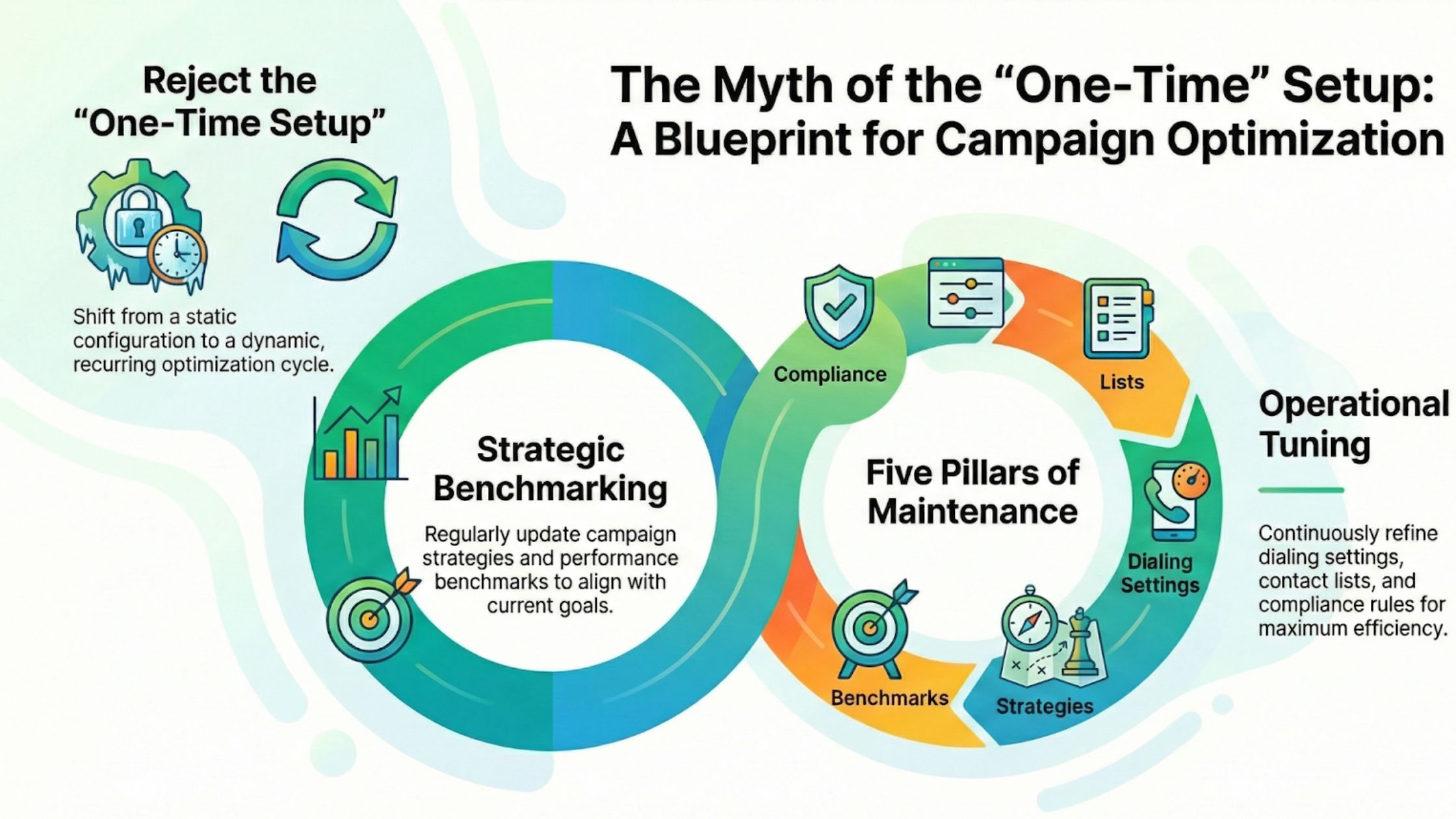
Regularly revisit:
- Campaign strategies
- Dialing settings
- Contact lists
- Compliance rules
- Performance benchmarks
A successful autodialer solution adapts to changing market conditions and customer behavior.
Final Thoughts
An auto dialer system can transform your outbound communication strategy, improve agent productivity, and increase revenue. However, poor planning, lack of compliance awareness, inadequate training, and weak integration can undermine its benefits.
Choosing the best auto dialer software from Kommuno is only the first step. Success depends on thoughtful implementation, continuous monitoring, and alignment between technology and business goals.
By avoiding these common mistakes and focusing on strategy, compliance, training, and customer experience, you can turn your autodialer solution into a powerful growth engine that delivers measurable and sustainable results.